Direct Bookings
Below, you will find the details of Diversdesk’s first self-booking version, which involves a redirect from your website or a link you can share with your customers. This link directs them to either My Page, the desired activity, or directly to step 1 of the registration process within your Diversdesk environment.
When to Use Direct Bookings
Section titled “When to Use Direct Bookings”Direct booking (self-booking) allows you to receive bookings directly through your website, giving customers the ability to select an activity and date themselves, instead of relying on a standard registration where you control activity and date selection.
How to Use Direct Bookings
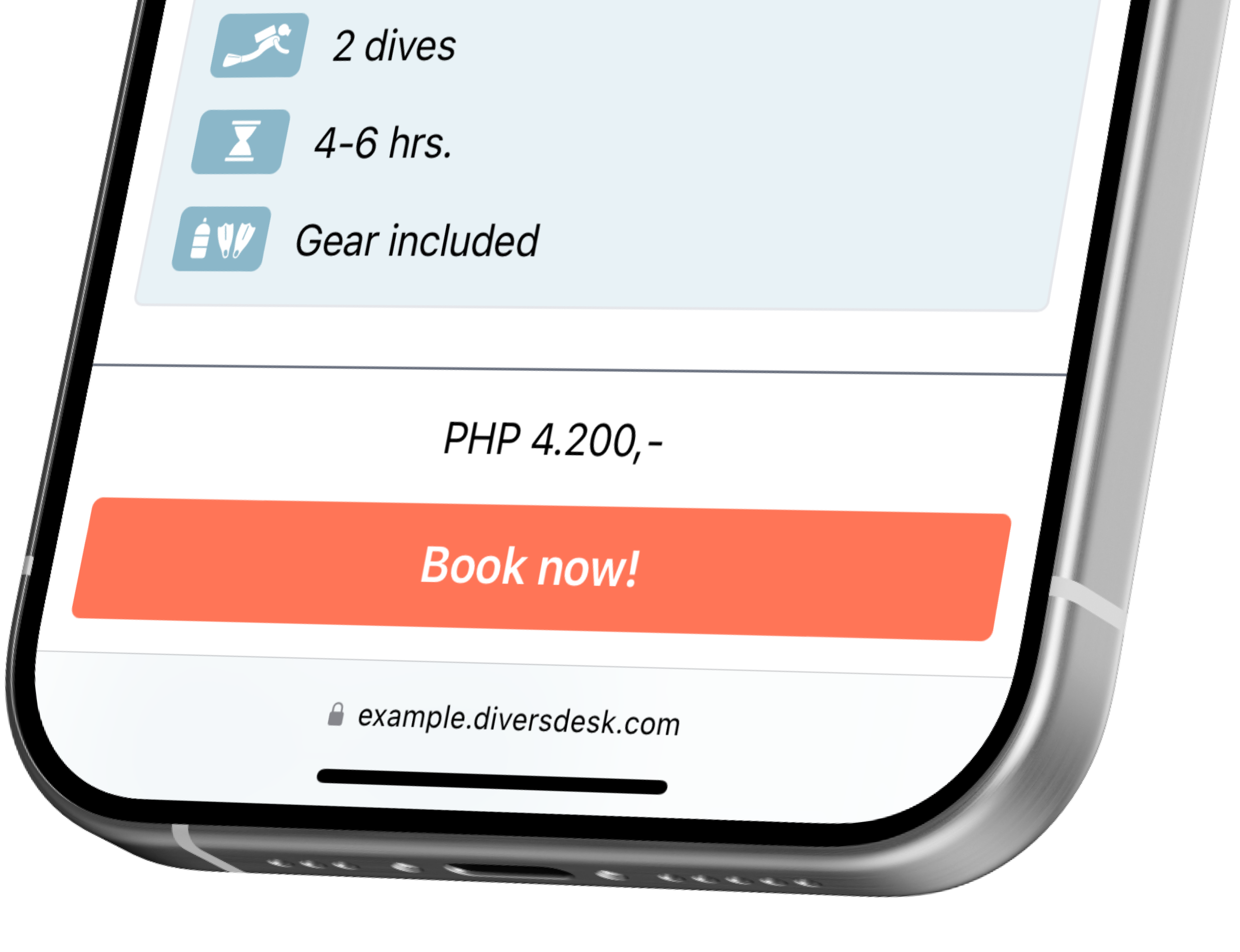
Section titled “How to Use Direct Bookings”Once activated, the direct booking functionality can be accessed through your My Page, where opening any activity card shows the Book now! button instead of an Inquiry button.
The 3 Types of Redirect
Section titled “The 3 Types of Redirect”1. Redirect to My Page
Section titled “1. Redirect to My Page”Use the URL to My Page from your website or share it directly with your customer. The customer can then select an activity and book a selected date.

2. Redirect to the Activity
Section titled “2. Redirect to the Activity”If you already know which activity your customer will join but want them to select their own date, share a direct link to that activity.
3. Redirect Directly to the Registration Process
Section titled “3. Redirect Directly to the Registration Process”If you only want your customer to register without showing activity details, share the hyperlink behind the Book Now! button of the selected activity.
Customer Flow
Section titled “Customer Flow”The customer flow consists of 3 simple steps.
Step 1 - Activity Select Page
Section titled “Step 1 - Activity Select Page”In this step, the customer selects and books their desired activity. This step is a redirect from your website to your Diversdesk environment, either to My Page, to the activity page, or directly to step 2 (booking page).
Step 2 - Booking Page
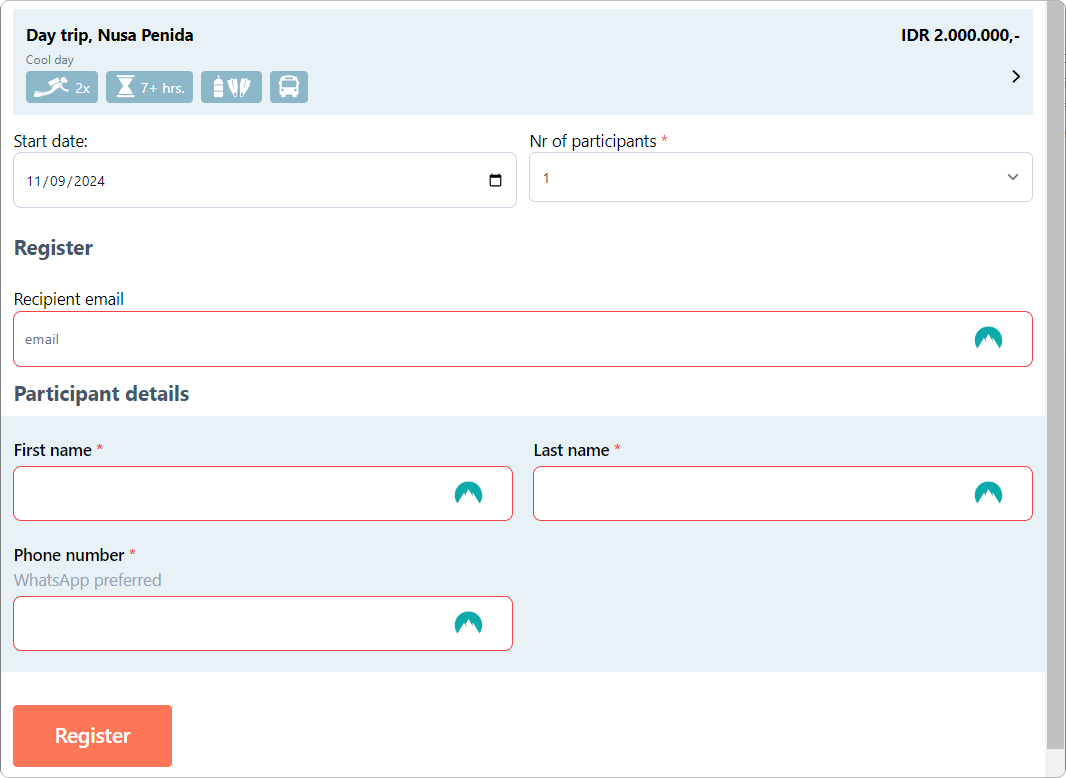
Section titled “Step 2 - Booking Page”The booking page is fully customizable, giving you the freedom to streamline and personalize your self-booking flow. You can capture only essential details or require a complete registration form right away.
The minimum required data on this page are:
- Activity start date
- Number of participants
- First name
- Last name
Step 3 - Registration Page
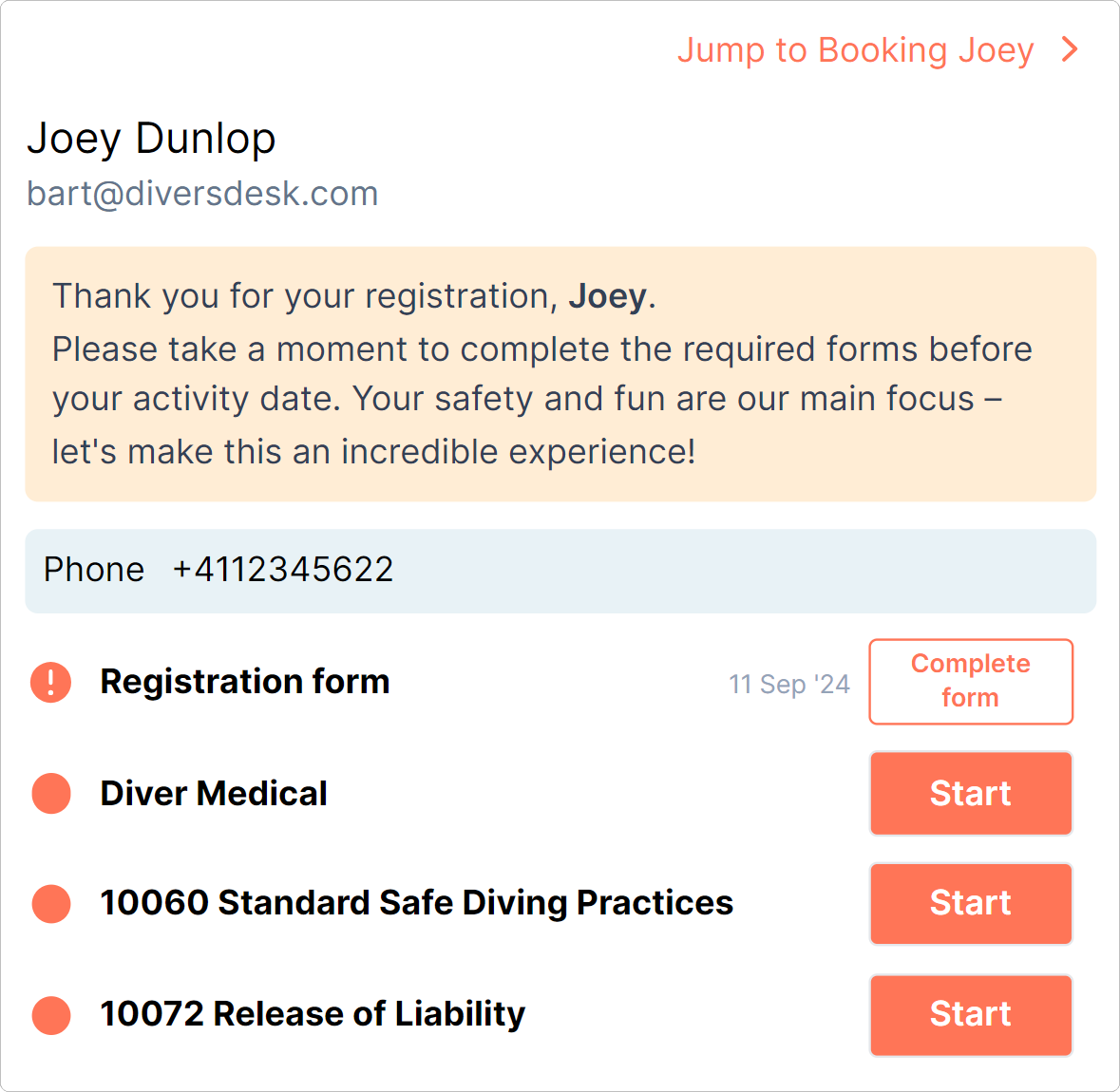
Section titled “Step 3 - Registration Page”After completing booking details, your customer is led to their registration page to complete any additional paperwork connected to the onboarding journey.