Accommodation Calendar
Directly from the calendar you can create reservations, set up room types, set up rooms, and configure price rules. Each of these is explained below.
Setting up Room Types
Section titled “Setting up Room Types”From the Accommodation > Calendar page, you can set up your room types and their connected rooms.
Room types can be created or adjusted at any time using the settings icon on the calendar page, or via the button that appears when no room types have been created yet.
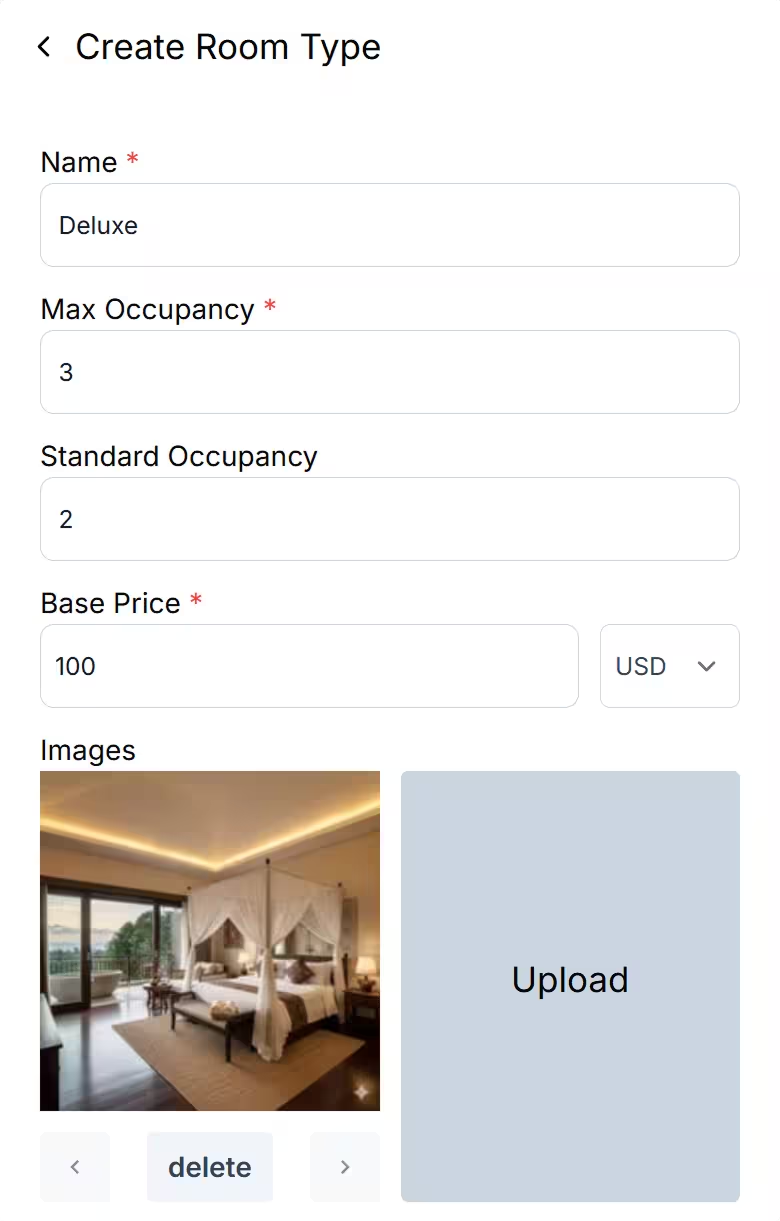
From the side panel, fill in the following details:
Name: The name of this room type — for example, Standard, Deluxe, Villa, or Cabin.
Max Occupancy: The maximum number of guests this room type can accommodate.
Standard Occupancy: The typical occupancy used as the basis for your pricing.
Base Price: The nightly rate for this room type at standard occupancy.
Images: Upload and arrange photos for this room type.
Setting up Rooms
Section titled “Setting up Rooms”After creating a room type, you will be prompted to add individual rooms beneath it. Rooms represent each bookable unit within a room type — for example, Room 1 and Room 2 for standard accommodation, Bed 1 and Bed 2 for a bunk setup, or Cabin A and Cabin B for a cabin-style property.
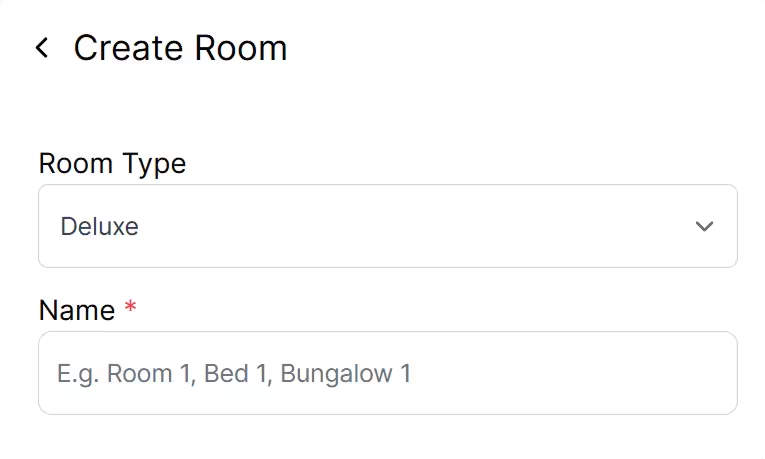
Room types and rooms can be edited at any time by clicking on their respective names.
Price Rules
Section titled “Price Rules”Price rules allow you to define rate adjustments on top of the base price. Available options include additional person surcharges and seasonal pricing.
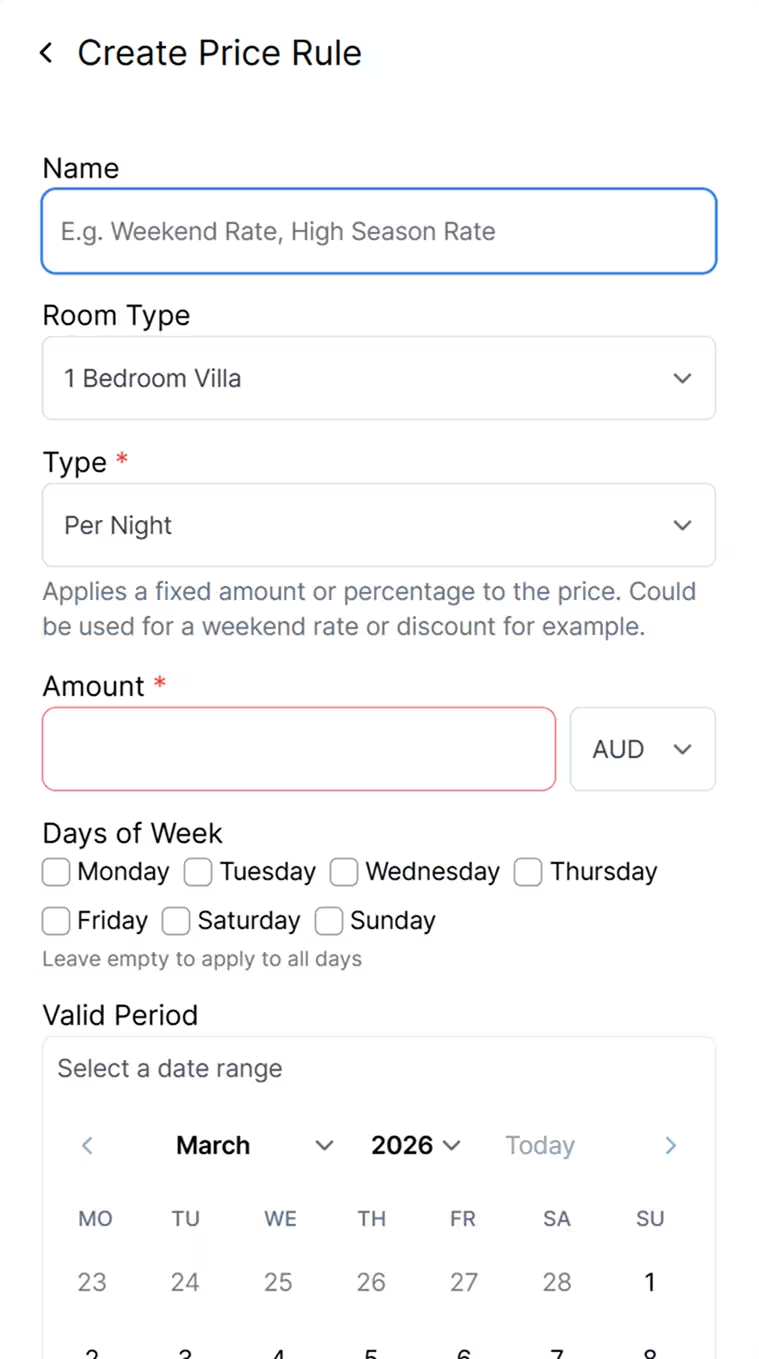
Name: A descriptive name for the rule — for example, Weekend Rate or Additional Person Surcharge.
Room Type: The room type this price rule applies to.
Type: There’s 2 options here:
- Per Night: The Price Rule is applied on the room per night. Used for temporary price fluctuations e.g. weekend rates or high season pricing.
- Per Person / Night: The price is calculated per additional person or persons beyond the standard occupancy set for this Room Type.
Amount: The amount to add (or subtract) based on this rule. Either a fixed amount or a percentage (%).
Days of Week: Optionally restrict this rule to specific days of the week.