How do I place an app-icon to my mobile homescreen?
Adding an icon (website shortcut) to your homescreen is a great way to swiftly jump to your planner at any given time.
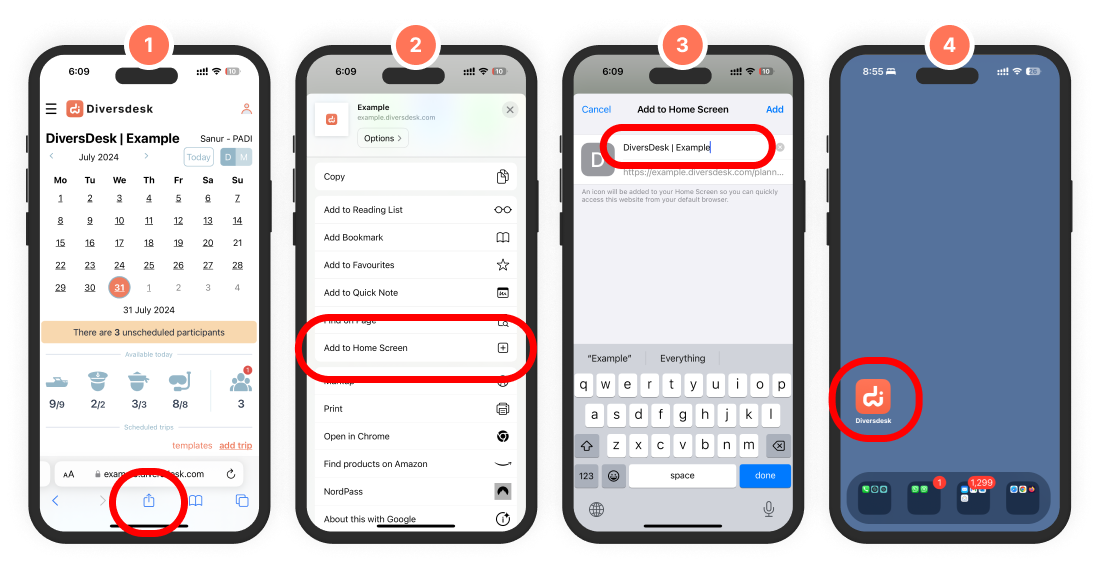
On iPhone this is easily done through:
- 1. Navigate to your planner hub and press the export button at the bottom of your browser
- 2. Scroll up and press ‘Add to Home Screen’
- 3. Change the name to your liking
- 4. Voila. Your planner is now just 1 click away