Menu and Navigation
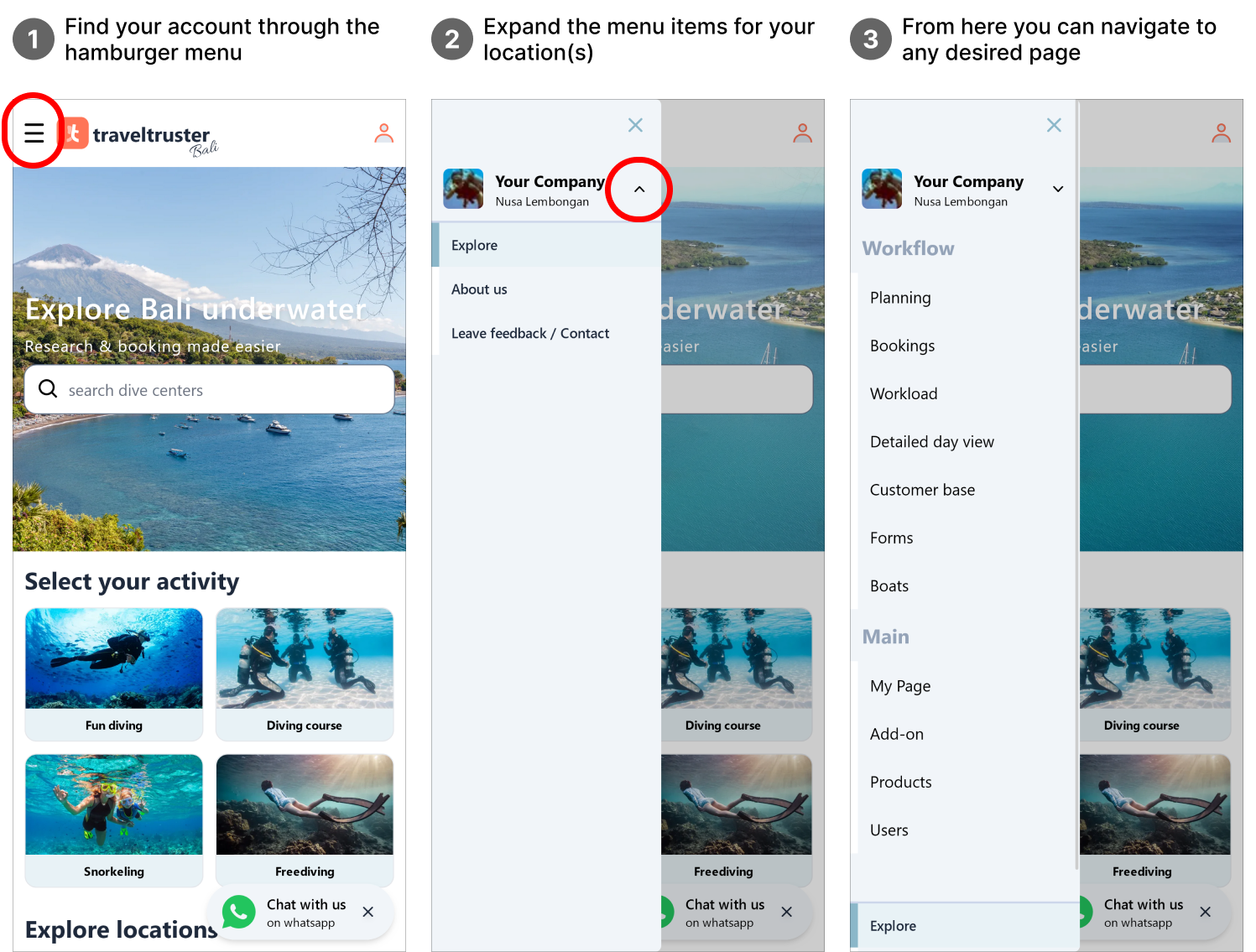
After logging into your account, all navigation through the platform starts with the hamburger menu in the top-left corner of your screen.
Workflow pages
Section titled “Workflow pages”Planning
Section titled “Planning”The planning page serves as the central hub for scheduling and organizing your trips and activities. From this single page, you can access a multitude of functionalities. For instance:
A day view and date picker
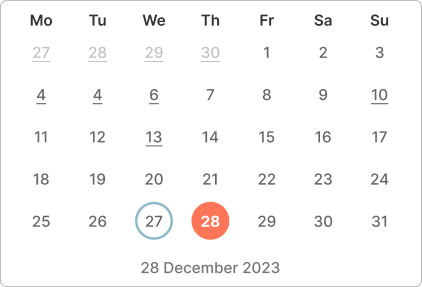
Section titled “A day view and date picker”A simple date picker allows you to quickly move between days.
An underscore below a date shows that an activity is scheduled on that day.
The selected day is highlighted in orange. A blue outline shows the current date.
A month calendar
Section titled “A month calendar”A monthly calendar that displays your trips using color coding.
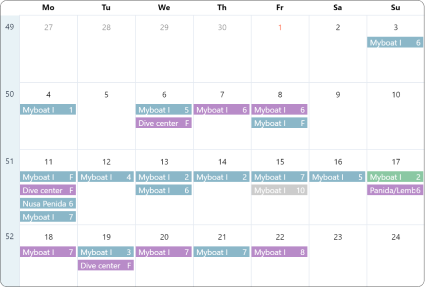
Trips with a majority of fun divers on board are shown in blue, those with a majority of course takers in purple, snorkelers in green, and freedivers in brown.
