Customers
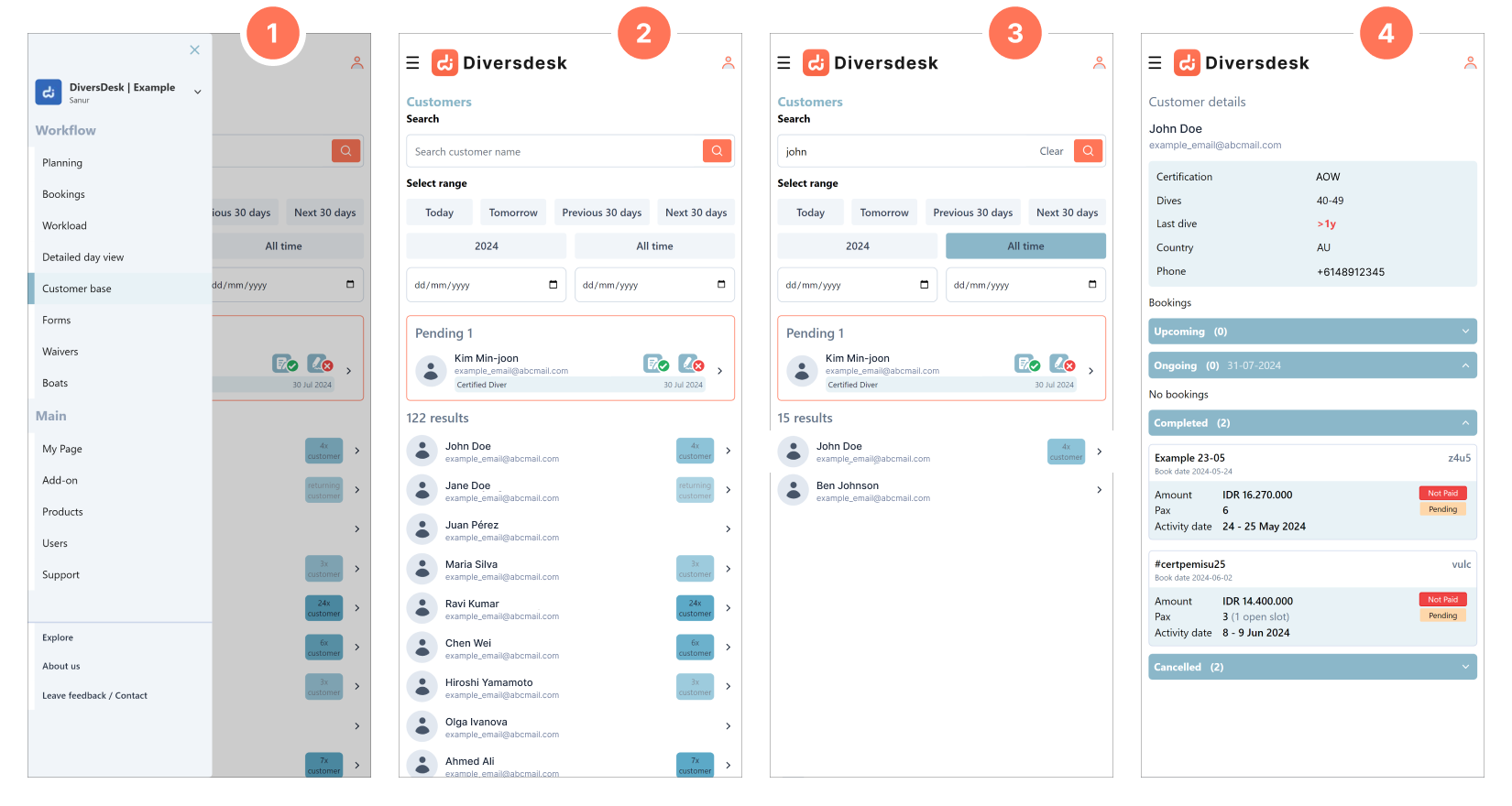
Through the customer base you can keep track of your new and returning customers.
- 1. In the drop-down within the hamburger menu you can navigate to the Customer base
- 2 Where you will find all your customer entries. Returning customers are are clearly indicated through a badge behind the customer’s name and email. .
- 3. You can search a customer within a desired range or throughout your entire database.
- 4. Clicking on a customer will lead you to the “Customer Page,” where you can find all of this customer’s previous, ongoing, and upcoming bookings. If desired, you can directly jump to a specific booking by clicking on the corresponding “Booking Card.”